Activate
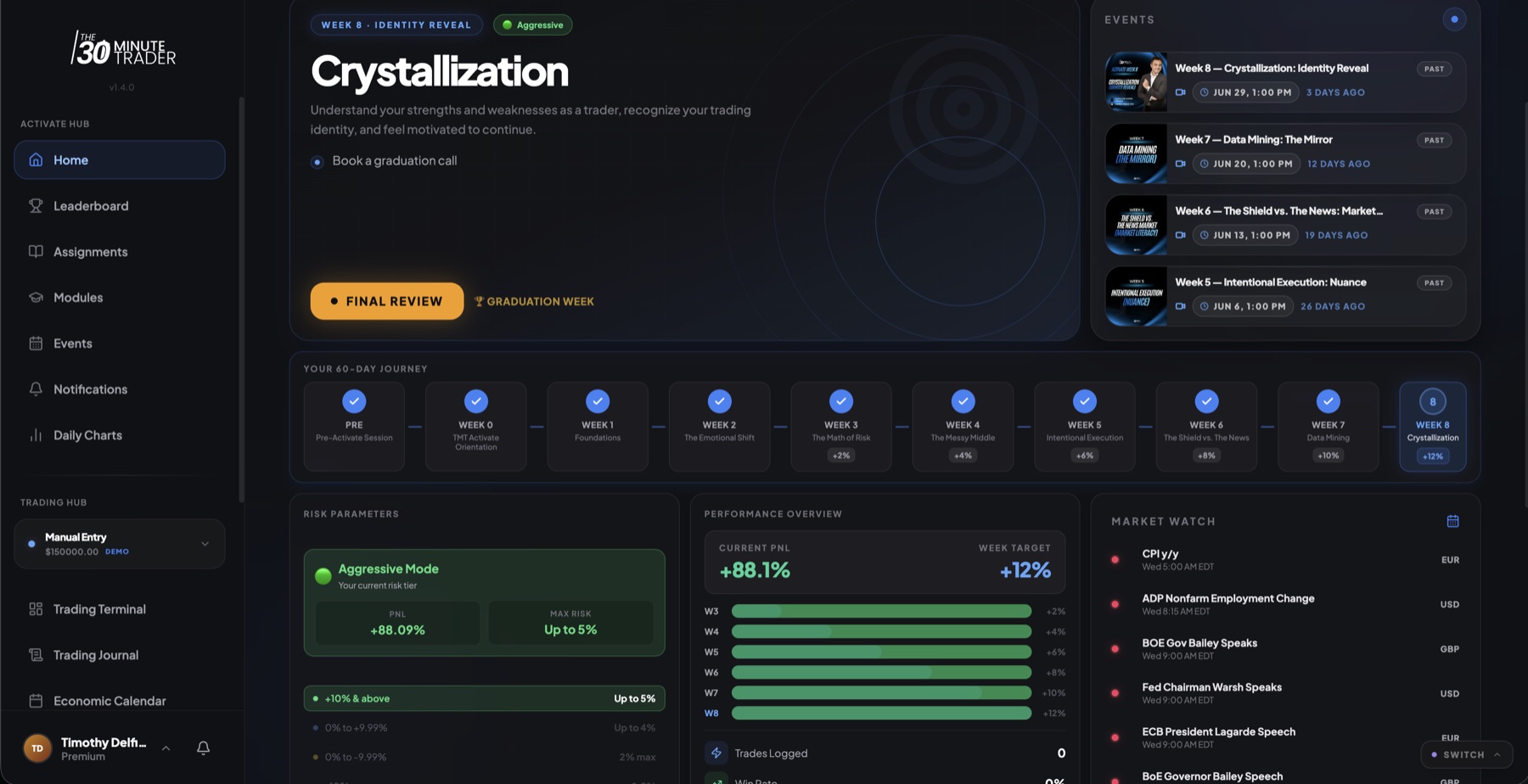
Activate is a roughly 60-day, cohort-based execution challenge. Instead of just teaching you theory, it walks you through actually doing the work: guided modules, weekly assignments, live trading, and a small squad that keeps you accountable. It runs as an 8-week curriculum that starts at Week 0 (Orientation) and builds to Week 8 ("Crystallization"). Your current week is set by your cohort's start date, so everyone in your group moves through the same themes together.
How the 8 weeks flow
Activate is a guided progression, not a pile of lessons to binge. Each week has a theme, and the weeks build on each other:
- Week 0 — Orientation. Get set up, meet your squad, and record your intro video.
- Foundations. The groundwork the rest of the program stands on.
- The emotional shift. Trading is as much about you as the market.
- The math of risk. Sizing, expectancy, and why the numbers matter.
- The messy middle. Pushing through the hardest stretch of the challenge.
- Intentional execution. Trading your plan on purpose, every day.
- News & markets. Reading the wider context around your trades.
- Data mining. Turning your own history into an edge.
- Week 8 — Crystallization. Identity, consistency, and graduation.
Because your week follows your cohort's start date, the Hub always shows you where you are right now rather than letting you skip ahead.
Getting around the Activate Hub
The sidebar groups everything you need into a few areas:
- Activate Hub — Home, Leaderboard, Assignments, Modules, Events, Notifications, and Daily Charts.
- Trading Hub — Trading Terminal, Trading Journal, Economic Calendar, and MATE AI, plus an account switcher and a position-size calculator.
- Edge Tools — MATE Radar, Daily Game Plan, and Playbooks. These appear when your tier includes them.
Edge Tools show up only when your tier includes them. What's in your sidebar follows the program you're in — see Your Programs.
Your Home dashboard
Home is where you start each day. It brings together:
- Your current week's topic and outcome, so you know what you're working toward.
- A 60-day progress timeline that shows how far into the challenge you are.
- Your live P&L and your current risk mode.
- Your recent trades.
- Daily and weekly reflection prompts to close the loop on your execution.
The MATE Checklist
The MATE Checklist is your daily pre-trade ritual, built on the MATE framework:
- Market Direction
- Area
- Timing
- Exit
You work through it before you trade each day and submit it once. Completing it consistently is part of how the program helps you build the habit — the point is to make deliberate, repeatable preparation a normal part of your day.
Assignments, Modules, and Reflection
- Modules are the guided lessons for the program's themes.
- Assignments are the weekly tasks tied to each week of the curriculum, with your current week highlighted so you know what's due now.
- Reflection prompts run at the end of each day and the end of each week, asking you to look honestly at your execution and discipline.
- Video Submission is your short Week 0 intro video about your trading journey — a simple way to introduce yourself to your cohort.
Events, Daily Charts, and the Economic Calendar
- Events are your cohort's events — virtual, recorded, or in-person.
- Daily Charts is a coach-run market-analysis feed you can follow through the week.
- The Economic Calendar is shared across the portal — see the calendar.
Squad and the Leaderboard
You're placed in a squad — a small group of about eight students with an assigned coach. Your squad is where accountability and peer learning happen throughout the challenge.
The Leaderboard is scoped to your squad. It blends two things you're already working on: your consistency (showing up and doing the daily work) and your trading return. Think of it as squad accountability — a shared, friendly nudge to keep up your habits — rather than a high-stakes competition.
Because the leaderboard reflects consistency as well as results, the daily habits — your checklist, your reflections, your assignments — are worth just as much attention as any single trade.
Trading, your journal, and risk
Activate is a live-trading program, so your trading tools sit right alongside the curriculum:
- The Trading Terminal and your P&L dashboard are where you place and review trades and see your analytics.
- The Trading Journal is where you log trades and notes — and it gives MATE AI richer context to coach from.
- Accounts let you manage the accounts you trade — see Trading Accounts & Sync.
Your risk parameters act as a guardrail: your suggested max risk per trade adapts to how your P&L is doing. It tightens after a drawdown and eases when you're in profit, moving through modes that range from more aggressive down to survival. This is a training aid built for the program, meant to keep you sized sensibly while you build discipline — not a fixed rule to optimize around.
MATE AI on Activate
Activate includes the Basic tier of MATE AI, with trade-aware context. It can reason about your accounts and recent trades to coach you on your process — but it never hands out buy or sell signals. See MATE AI.
When your access ends
Your Activate access runs for roughly 60 days with your cohort. When it ends, your history and completed content stay with you. Your portal benefits return to Starter unless another paid program is active. For the details of how access works across programs, see Your Programs.